The operating system for movement education
Every screen here is a studio that exists
Not a mockup. A working studio with five months of coaching already in it. You can open the same one in your browser, with no account and no form, and it is deleted overnight. The studio teaches five disciplines; the system takes any of thirty, or one a coach types.
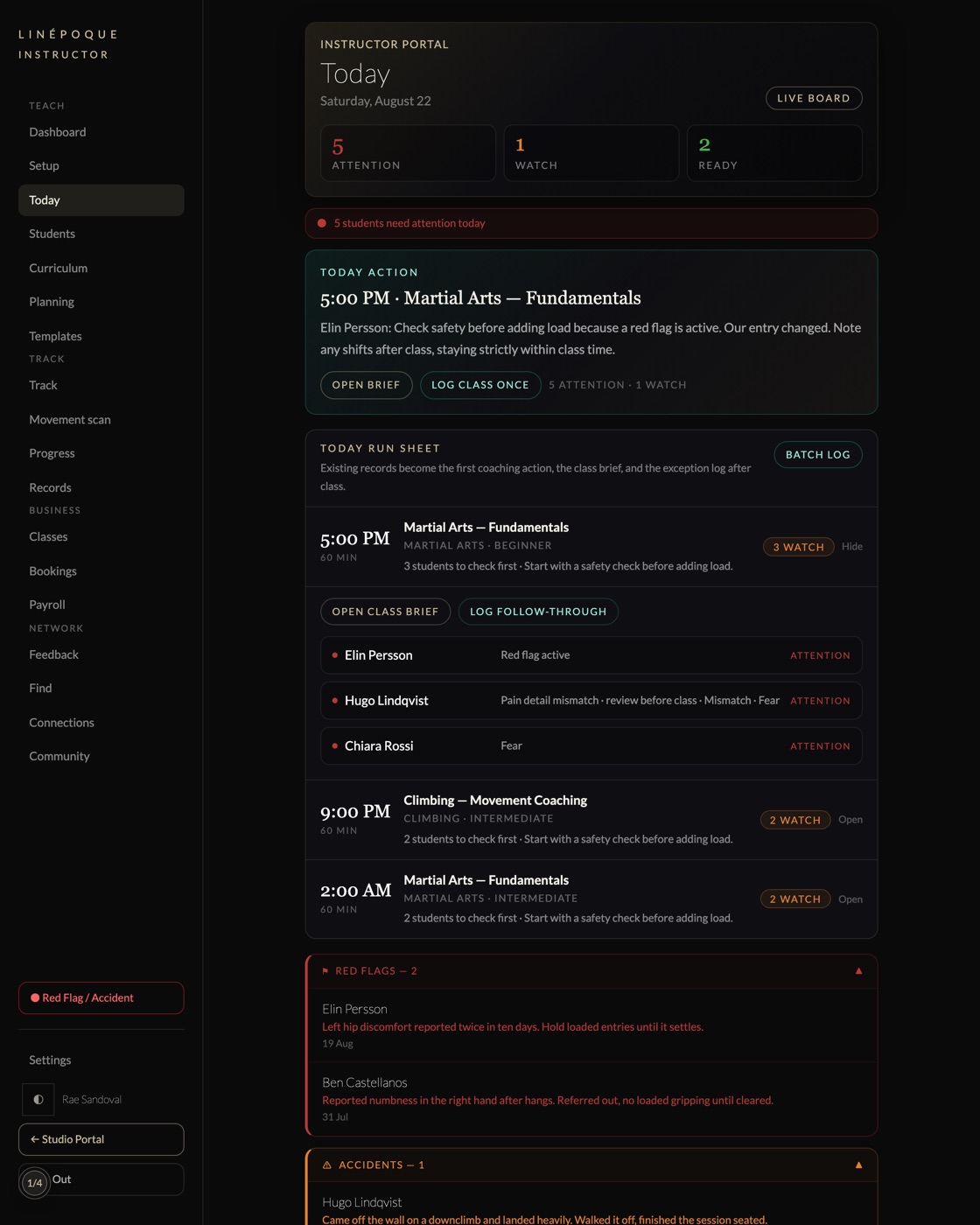
Booking software tells you who is coming. It cannot tell you what to do when they arrive.
LINÉPOQUE turns what a coach records after class into the brief for the next one, the student’s progress, the plan for the room, and the report you hand over. Nothing is typed twice. It is the same thirty seconds, read five different ways.
- Curriculum
- 330modules across eleven disciplines, each with its own completion gate
- Coverage
- 30disciplines ship as presets, and a coach can type any other
- Tracking
- 34body regions and eight domains, entered by tapping rather than typing
- Input
- 30sone spoken or typed sentence after class, for the whole group
01Before the class
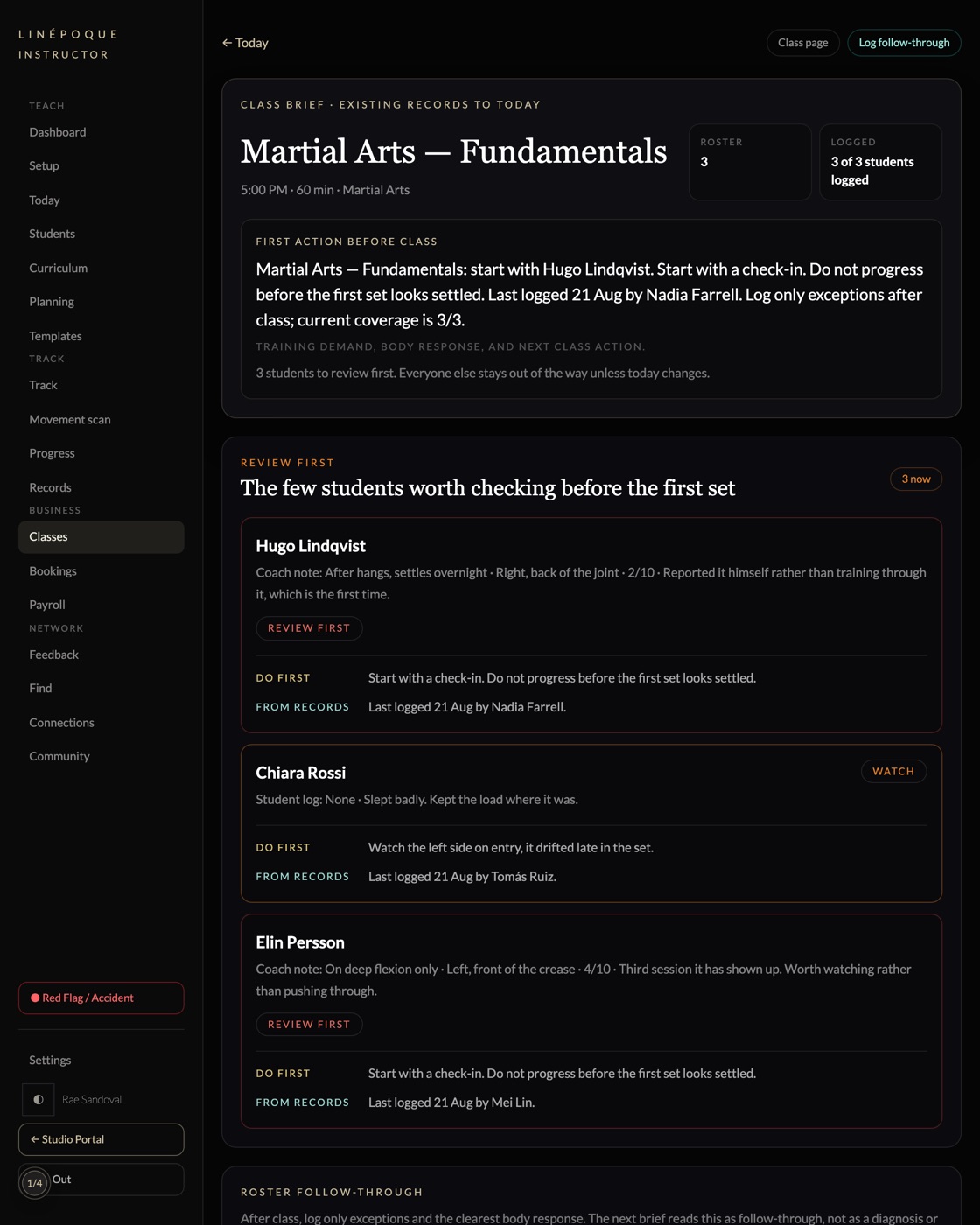
The brief a covering instructor reads in the corridor
Who is in the room, what changed since last time, who to look at first, and what to hold back.
Booking software gives you the roster. It cannot give you the room. This is assembled from what was recorded after the last session, so it exists whether or not the regular coach is in today.
02The decision
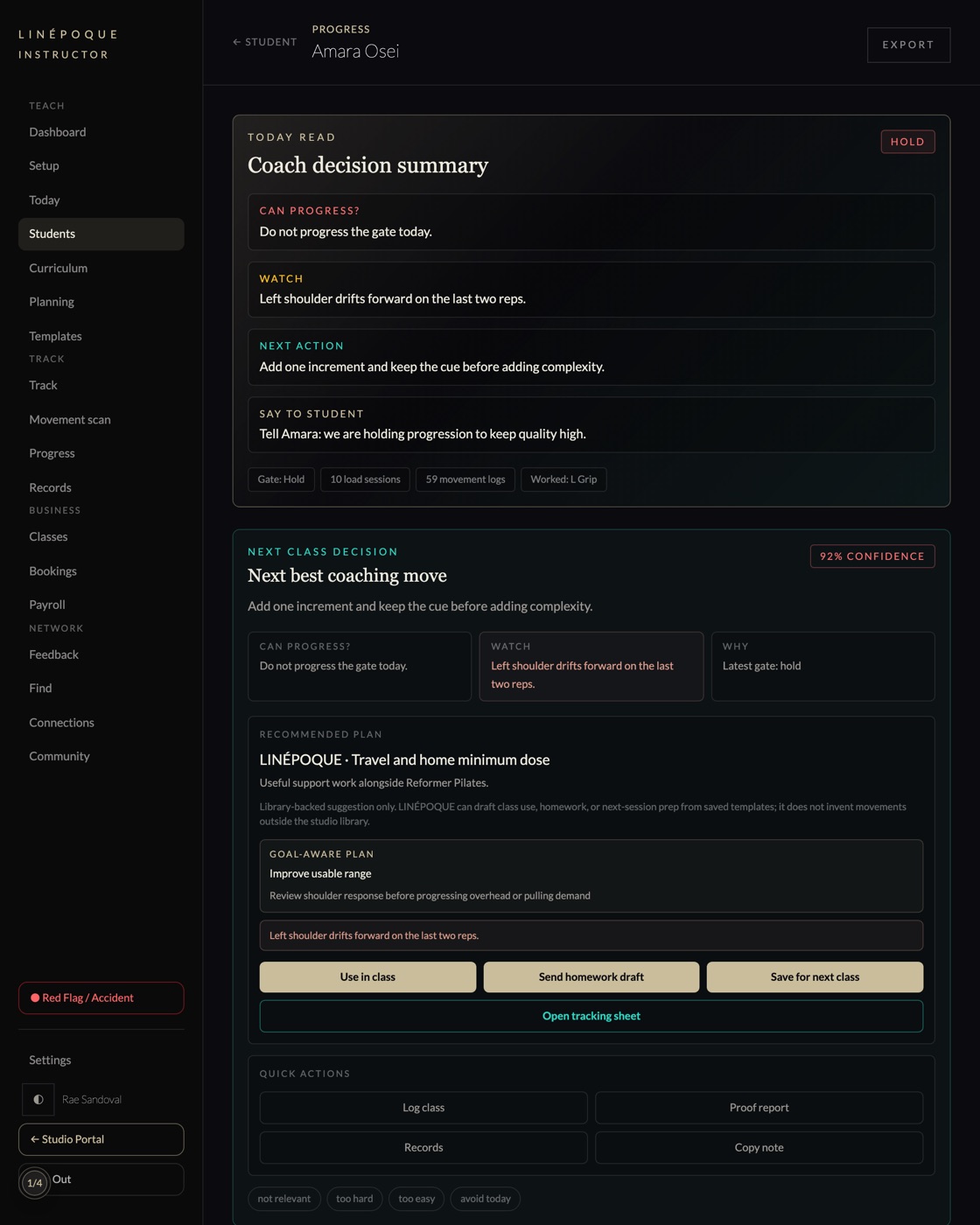
A coaching call, with the evidence underneath it
Whether this student can progress, what to watch, what to say to them, and how confident the read is.
Every line traces to something recorded: the latest gate, the load sessions behind it, the markers that moved. The summary reads in seconds and the evidence sits below it for anyone who wants to check.
03The input
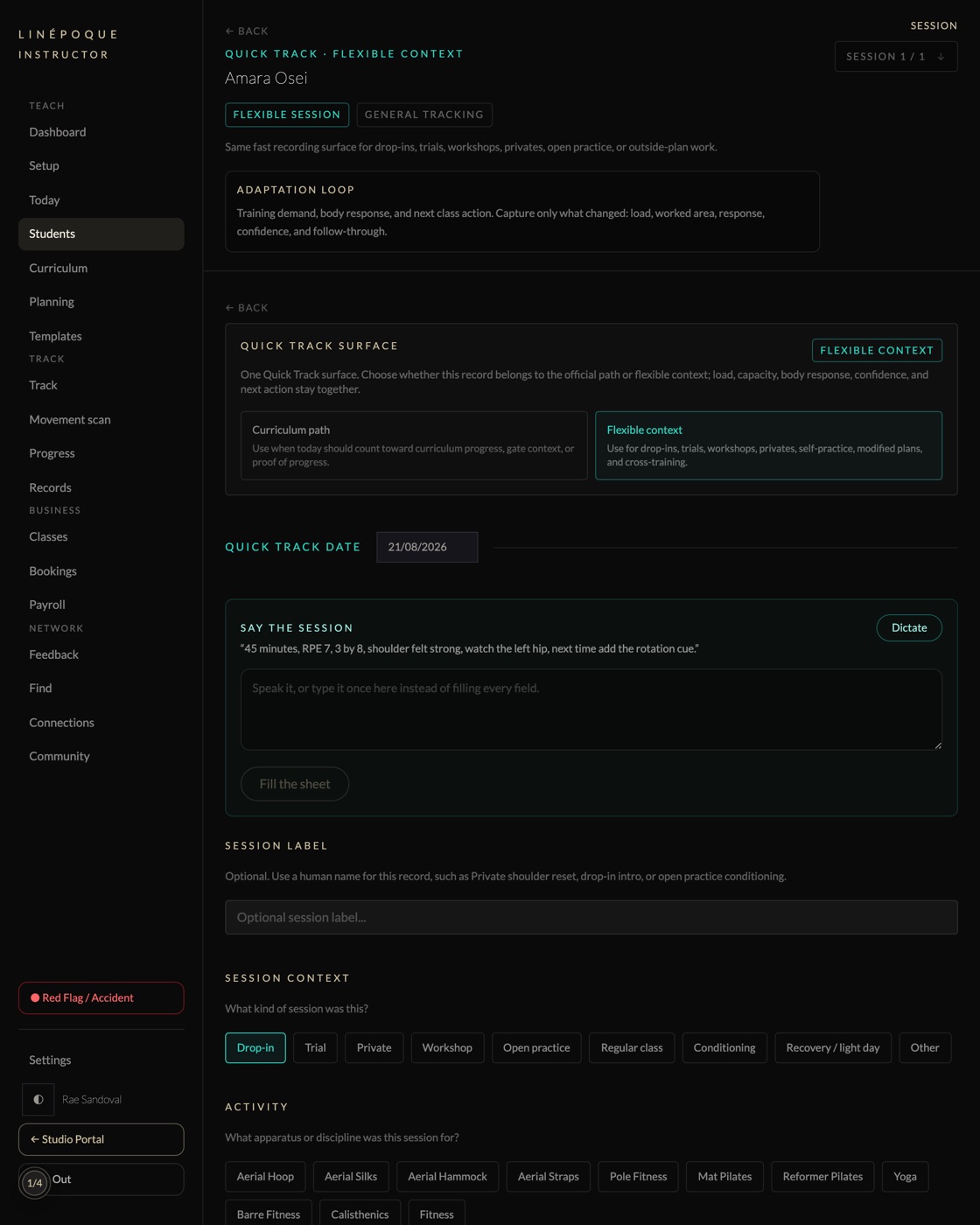
Say the session. The sheet fills itself
Forty-five minutes, RPE 7, three by eight, shoulder felt strong, watch the left hip, next time add the rotation cue.
One sentence after class, spoken or typed once, instead of a form with fifteen fields. This is the only input everything else runs on, and it is deliberately the smallest thing we could ask a tired coach for.
04What gets captured
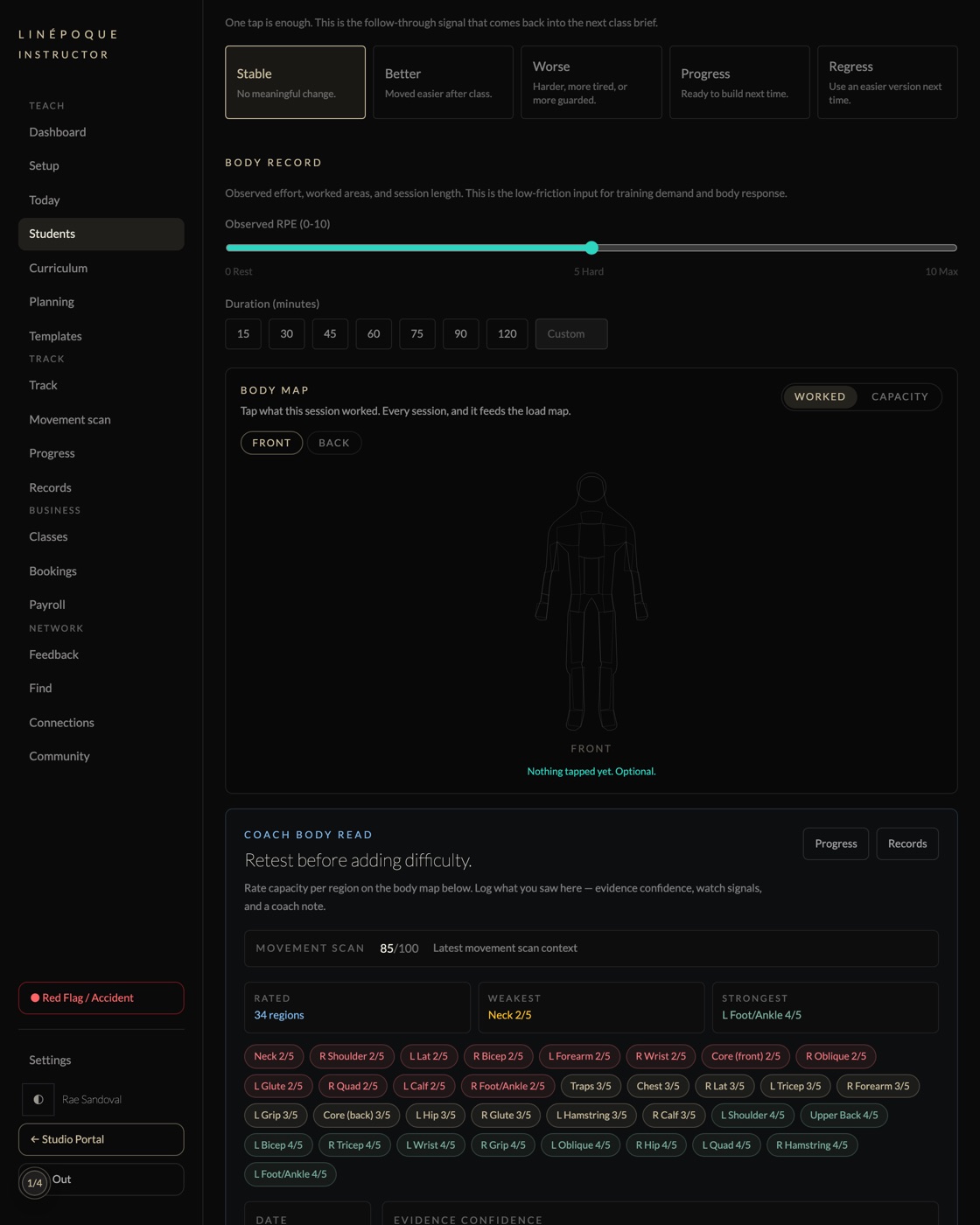
Effort, worked areas, and capacity across 34 regions
Observed effort, session length, what the session worked, and a rated read of what the body can currently carry.
Eight domains and twenty or more signals, entered by tapping rather than typing. Prior ratings are already filled in, so a coach confirms what changed instead of re-entering what did not.
05What the room cannot see
The training that happened somewhere else
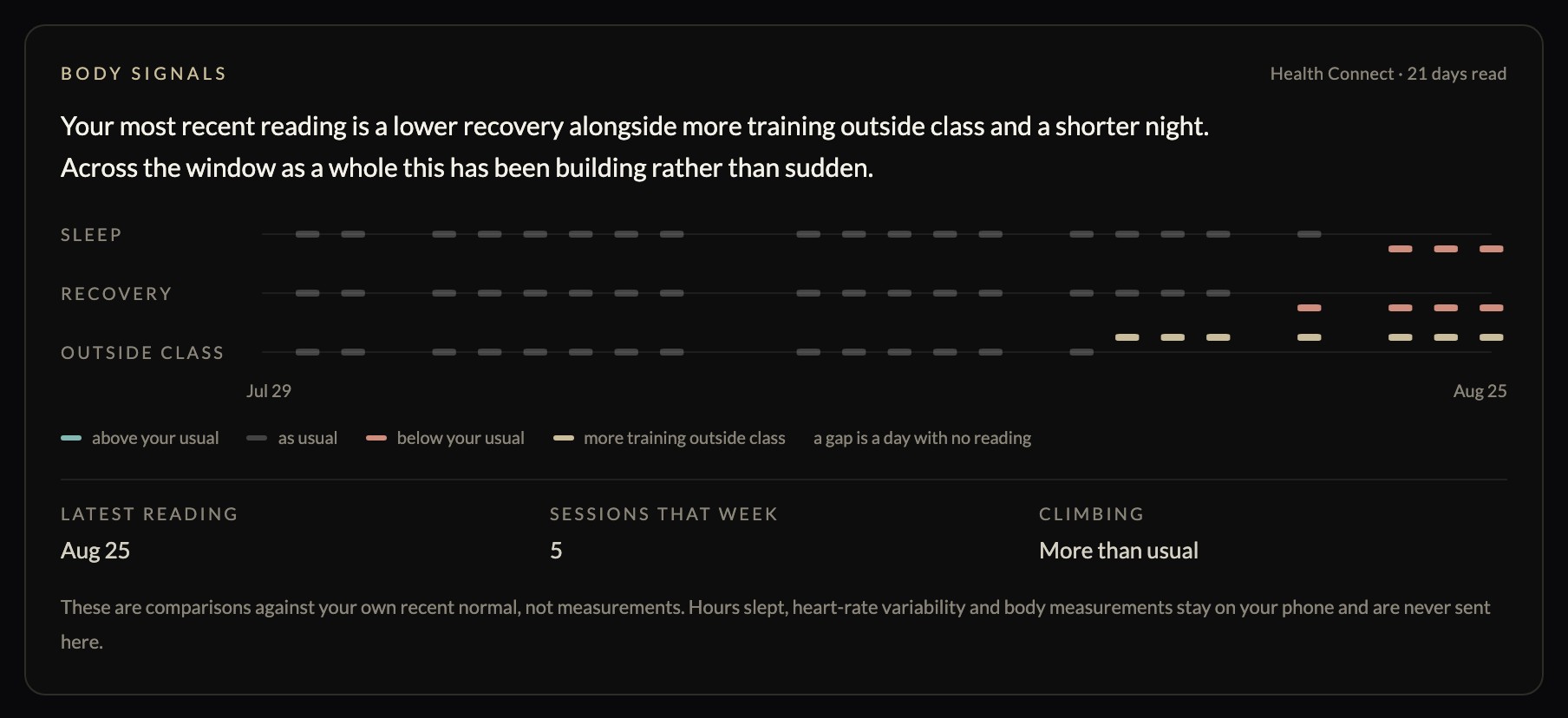
A student runs five times, logs none of it, and turns up flat. Without this it reads as low motivation.
Read from Apple Health or Health Connect on their own phone, with their permission, and compared only against their own recent normal. Hours slept and heart-rate variability never leave the device — what crosses is whether today sits above, at, or below their usual, which is the comparison a coach would have had to make by hand anyway.
06What it becomes
A body you can see
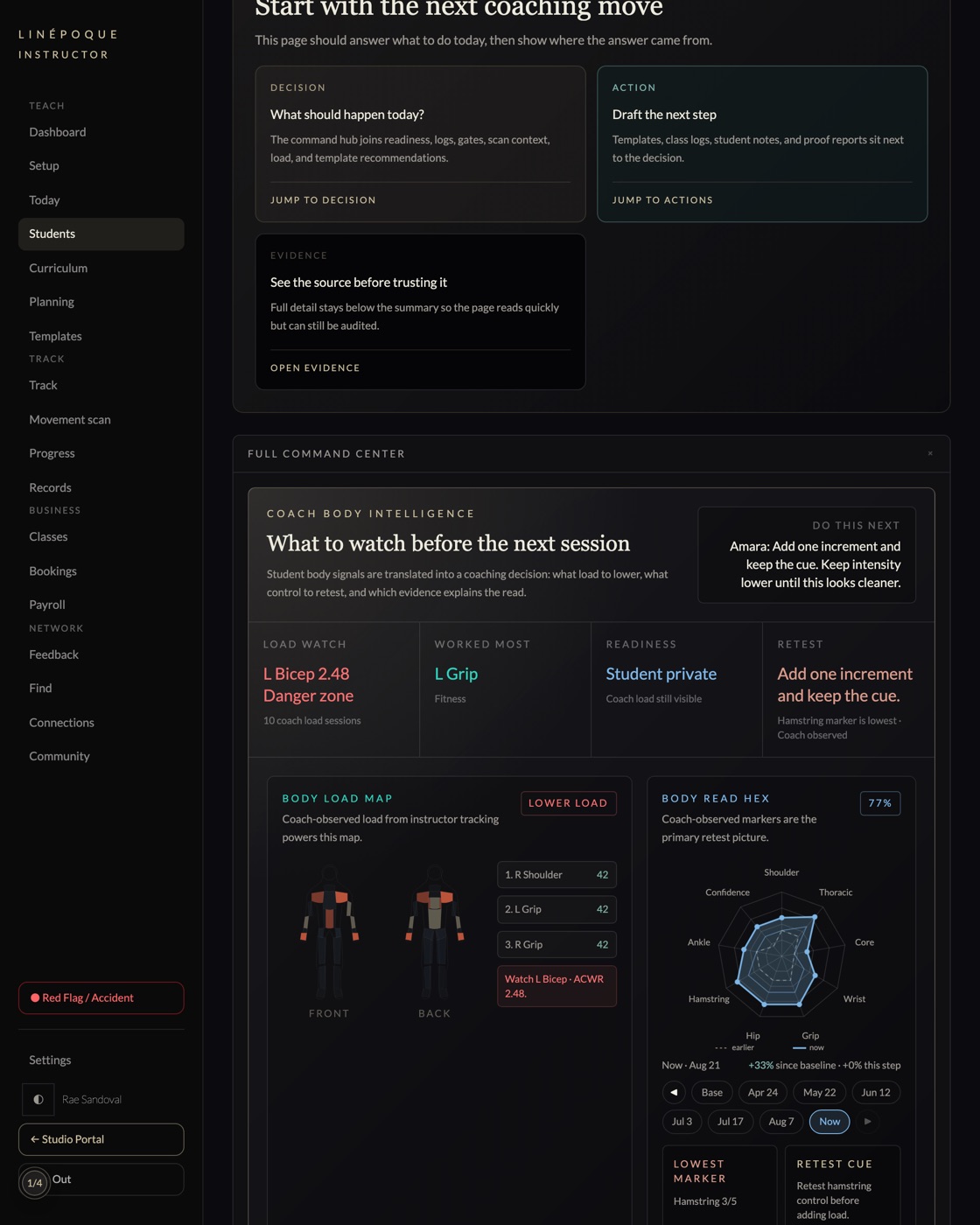
Load concentrates where the training actually puts it, and readiness is plotted rather than asserted.
Hot, warm and cool regions on the same body, filled in over months as different sessions work different things. The markers panel shows every axis from baseline to now.
07The trend
Capacity climbing at a load the body is absorbing
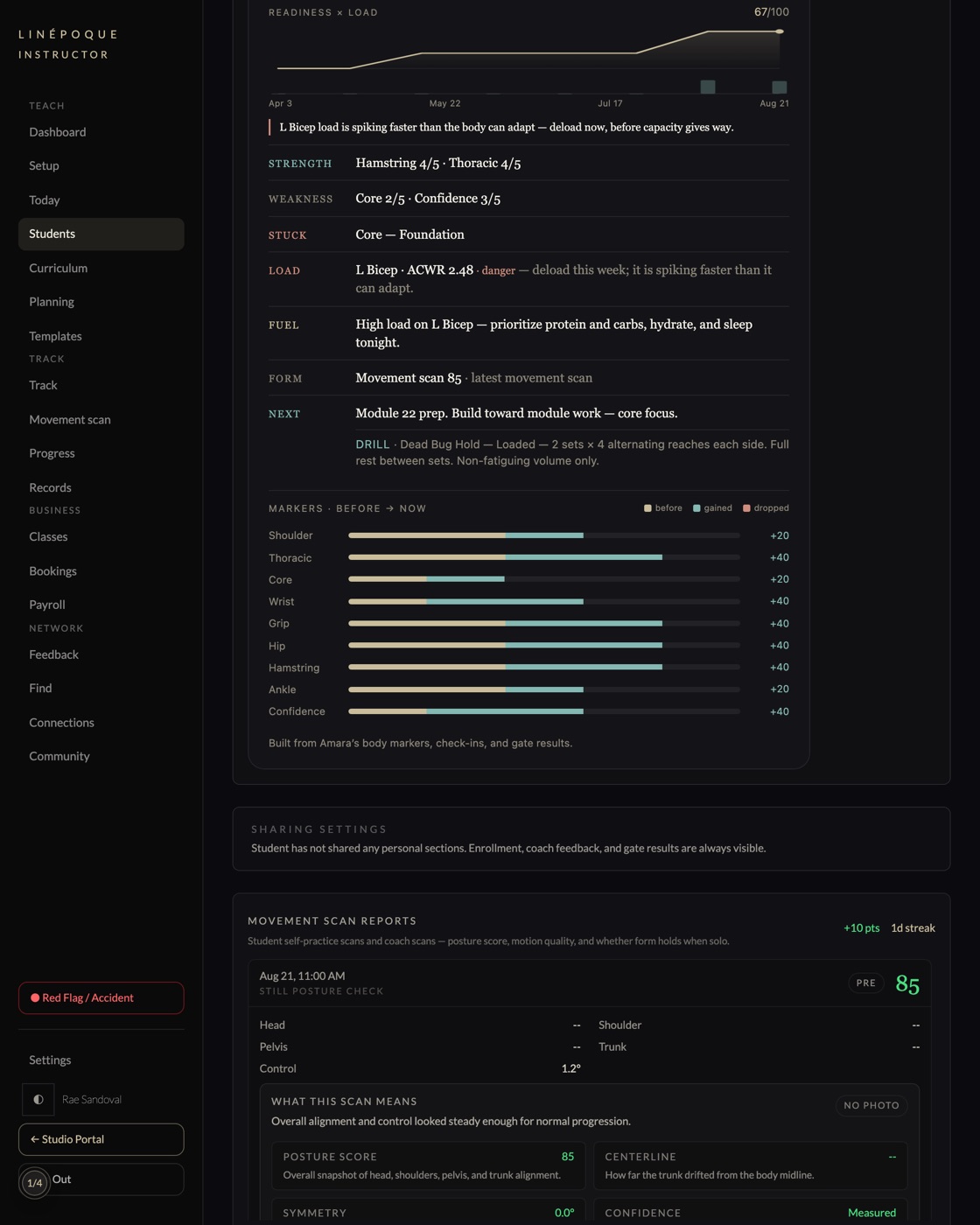
Readiness against load over five months, each axis measured from baseline to now.
Movement scan history, weekly composite scores, and the gate decisions in between. This is what a studio shows a student who asks whether the money is doing anything.
08The report
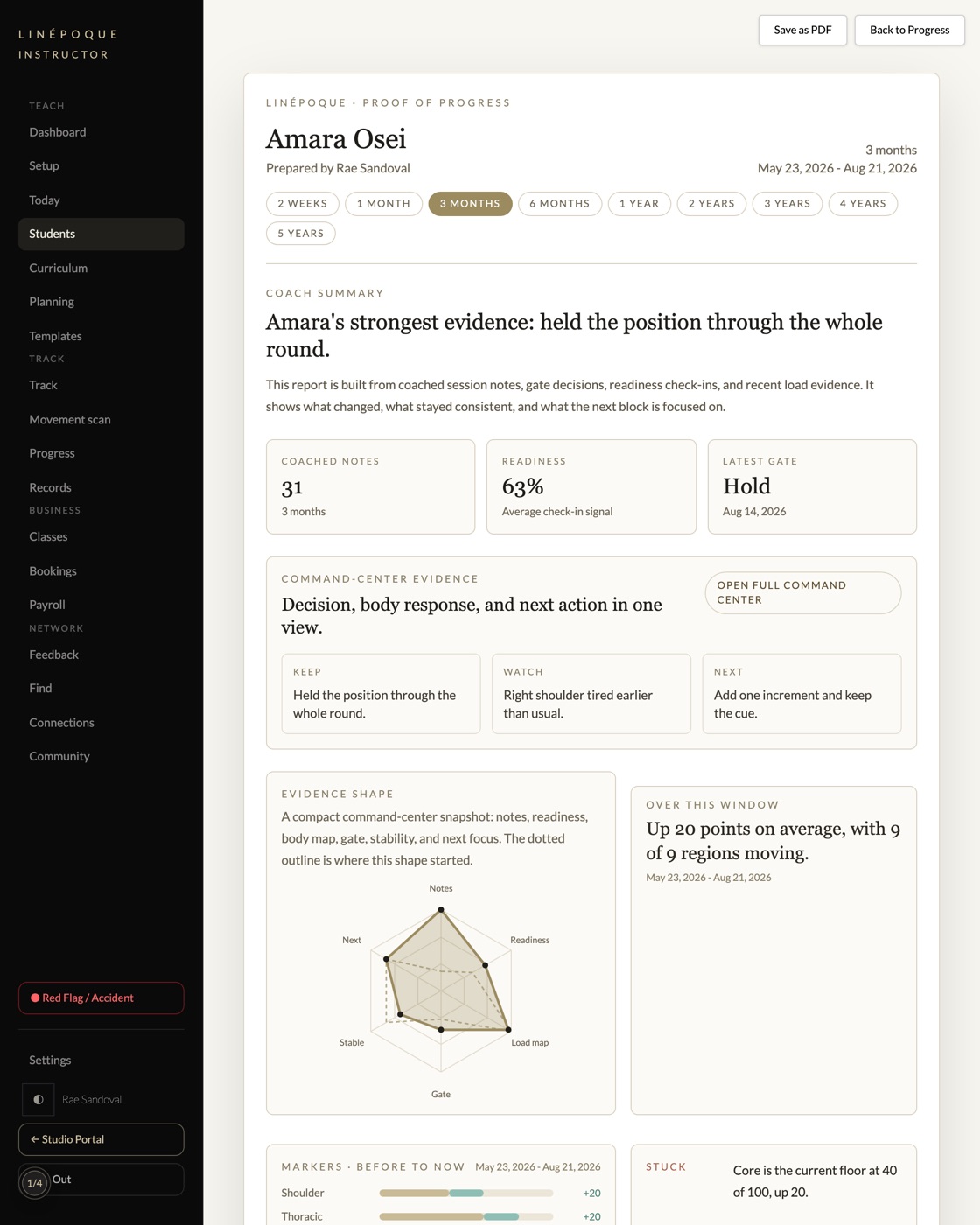
Proof of progress, written for the student
Coached notes, readiness, latest gate, and what changed over the window, prepared under the coach name.
It says when the window is longer than the history rather than filling the gap. A report that overstates is worth less than one that does not.
09The student side
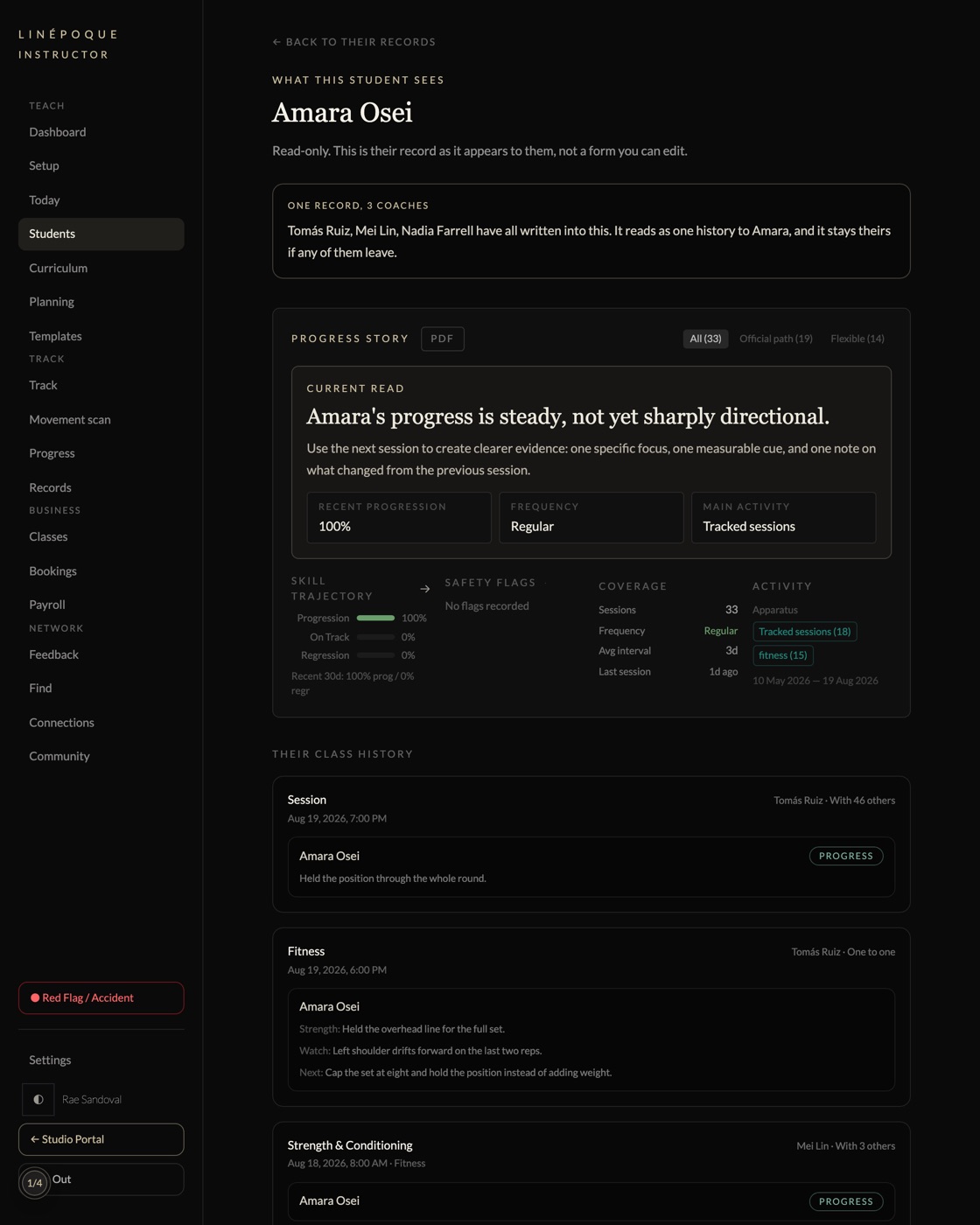
The record belongs to the student, not the coach
Several coaches have written into this history. It reads as one record, and it stays theirs if any of them leave.
Students get their own portal free. They decide what a coach can see, and that gate is enforced in the database rather than in the interface.
10The studio
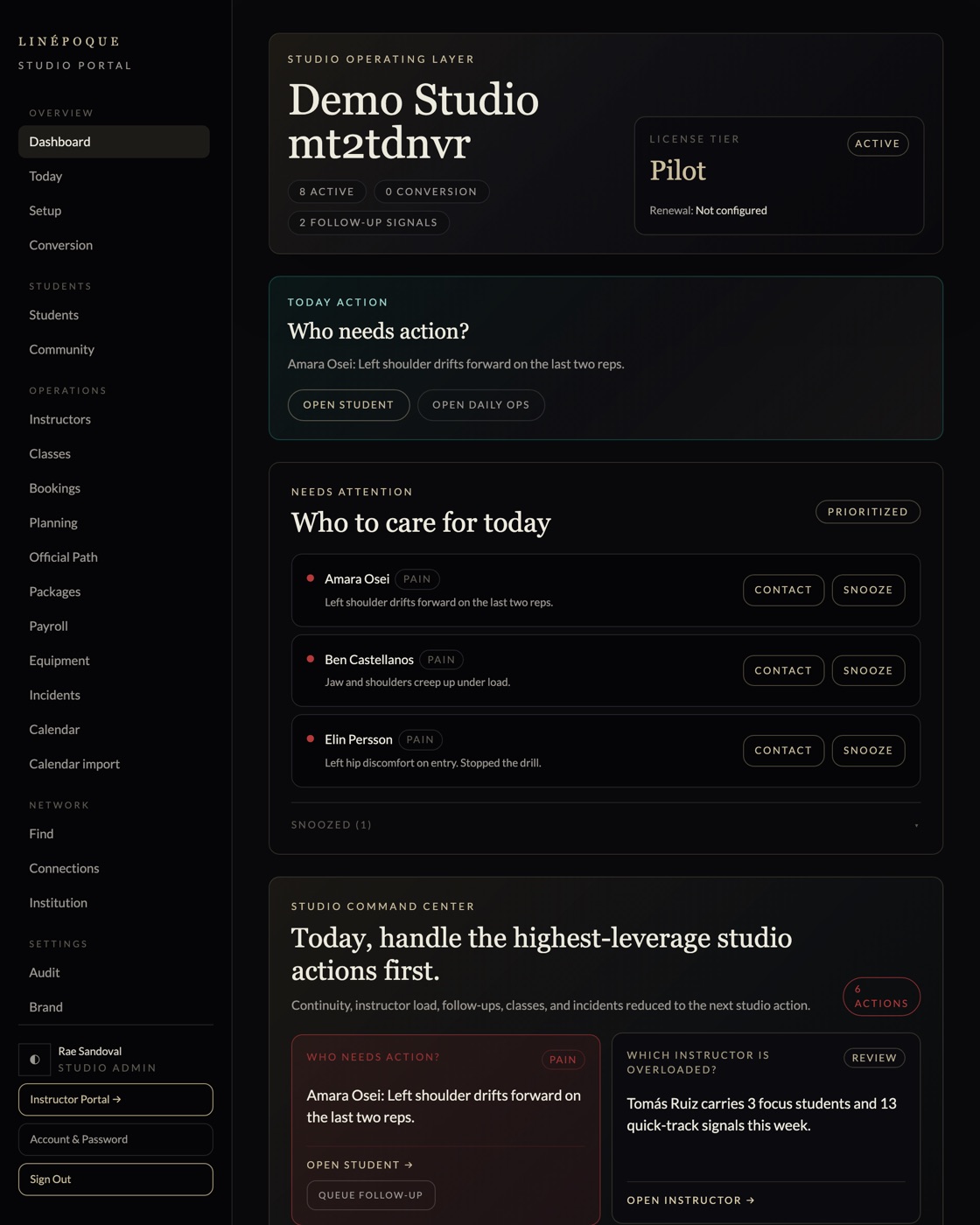
Which coach is overloaded, and who needs a follow-up
Continuity, instructor load, follow-ups, classes and incidents, reduced to the next studio action.
The owner view answers who needs attention today before it answers anything else. Instructor load is measured from what was actually taught, not from headcount.
11The schedule
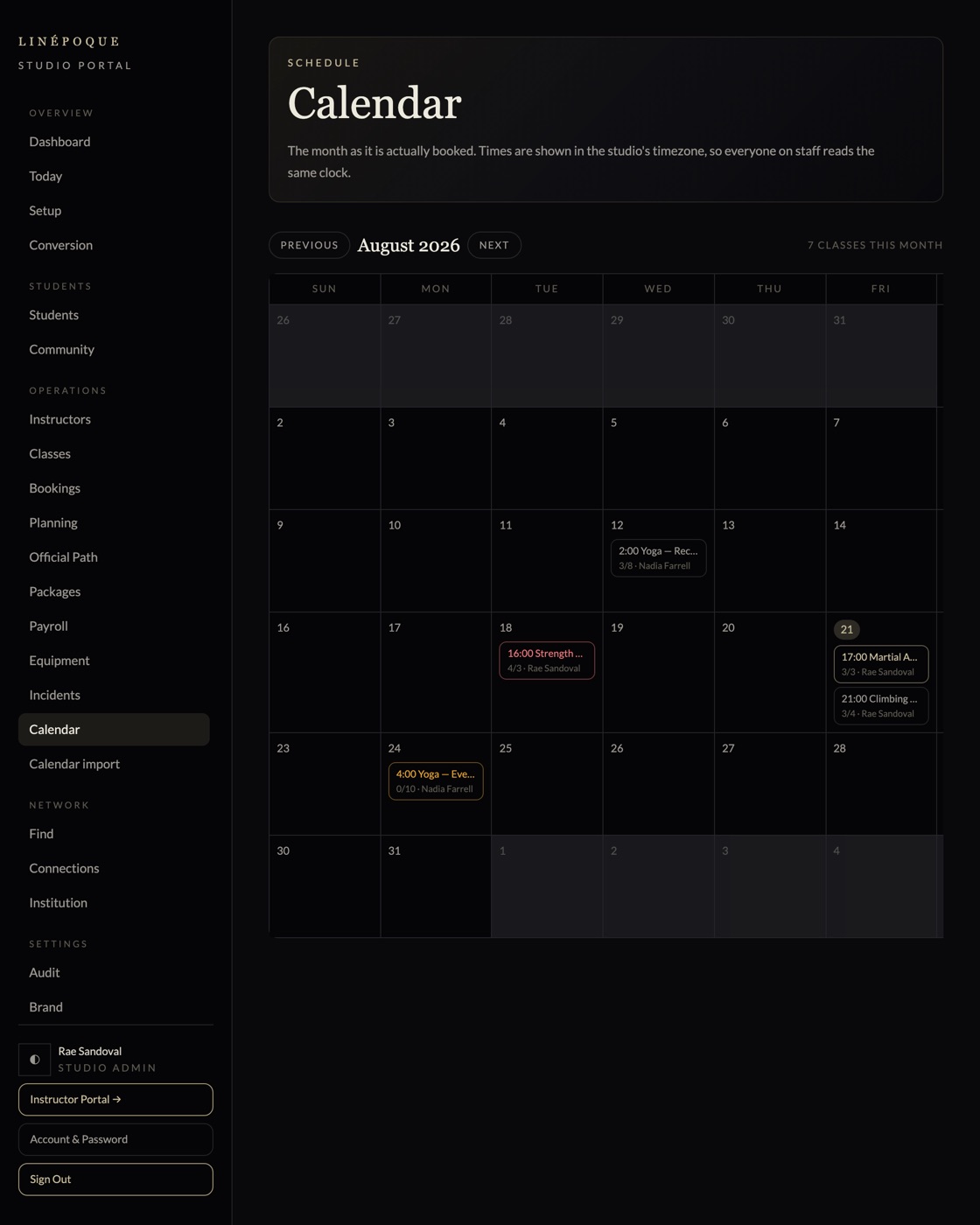
The month as it is actually booked
Colour is capacity. Nearly full, over capacity, and nothing booked yet each read at a glance.
Times are shown in the studio timezone, so every coach on the roster reads the same clock. A day opens the class, a class opens its brief.
12The curriculum
Thirty modules a discipline, eleven disciplines
Each with the same section structure, a completion gate, and a coach manual that is not published.
One module is open to anyone without an account, so you can judge the depth before signing up for anything. What decides when a student moves on is whether they cleared the gate.
Read the open module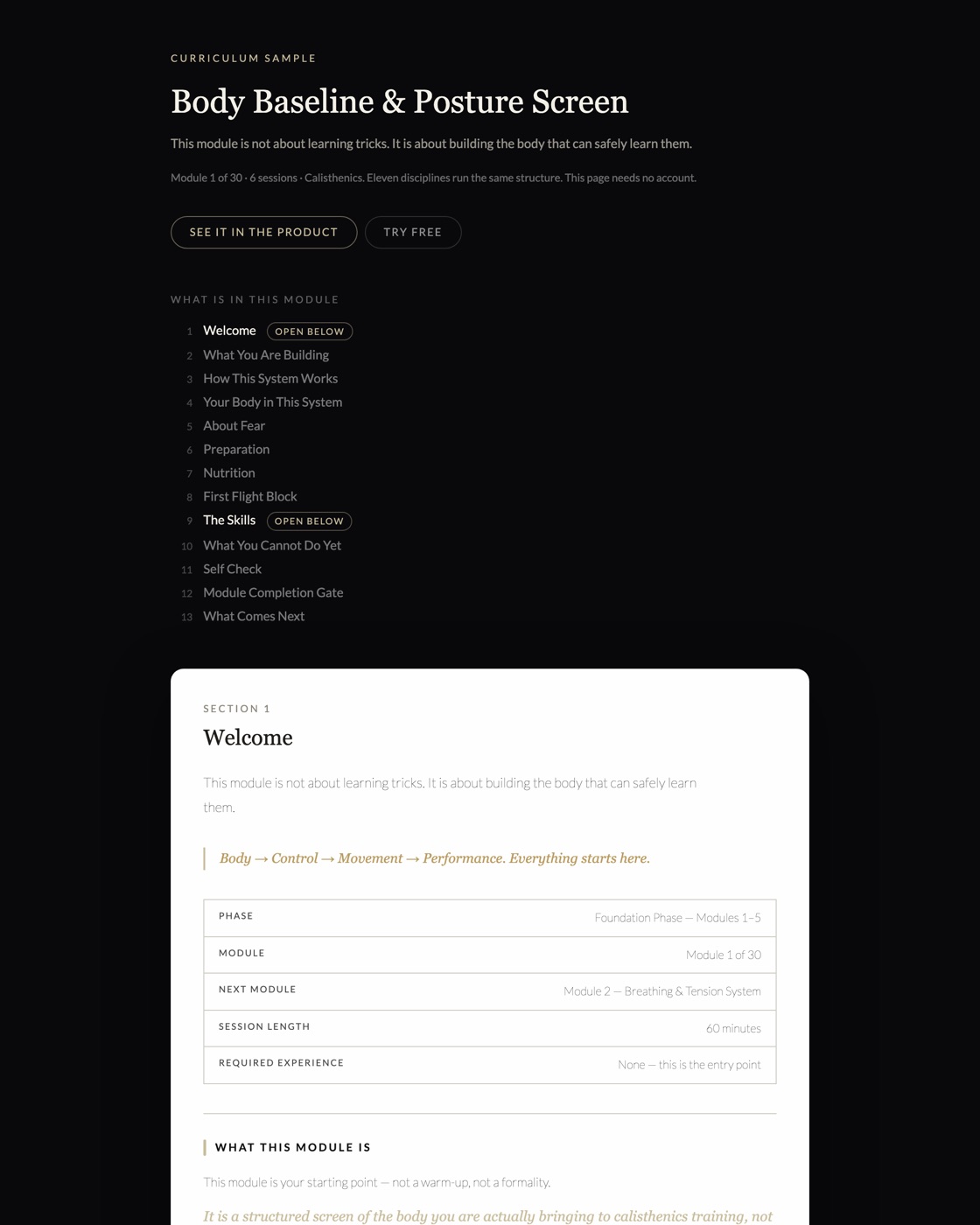
13Above the coaches
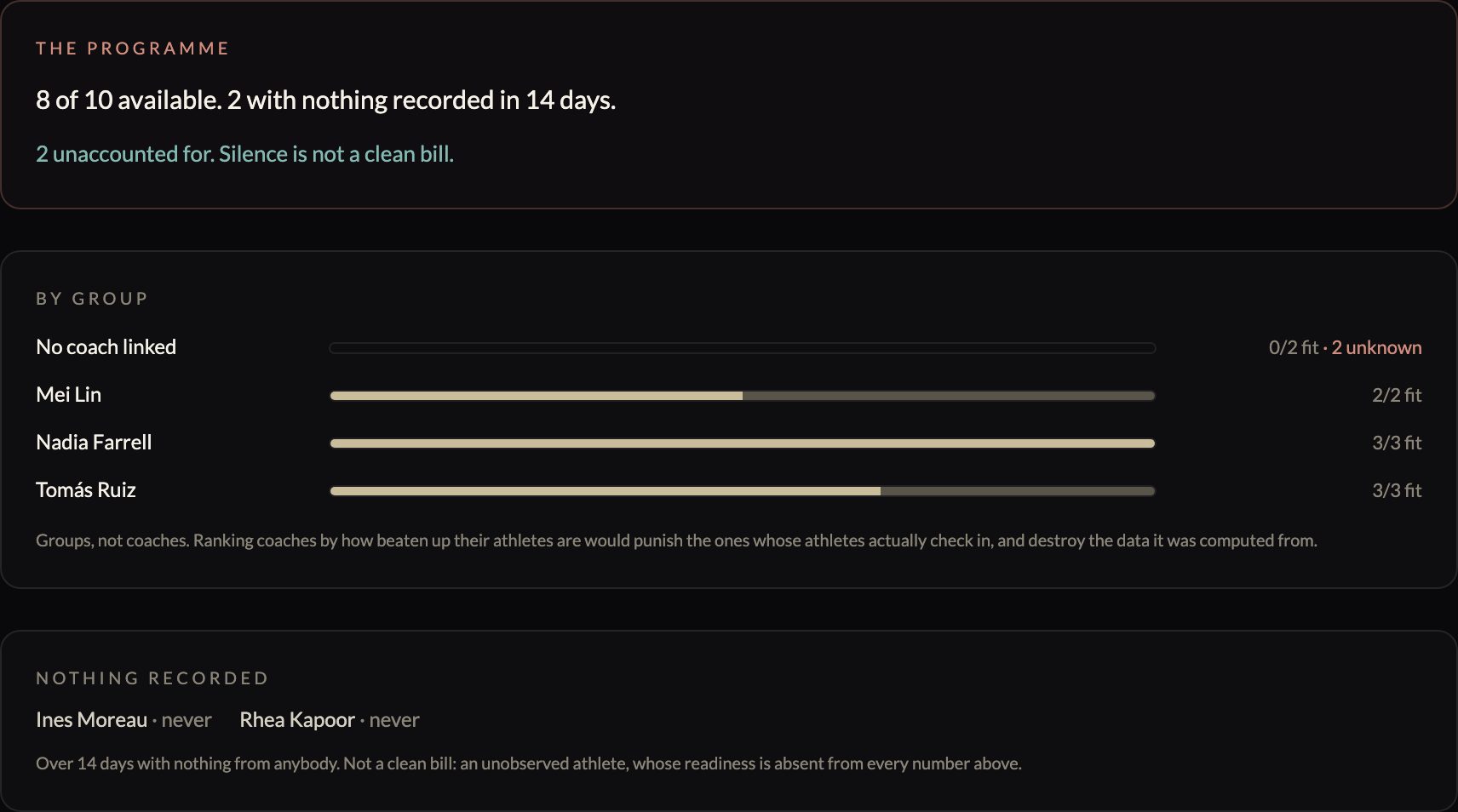
Who is fit for Saturday, across everyone
Two coaches each holding one goalkeeper is not cover, if neither of them knows about the other’s.
A director is not asking how one athlete is. They are asking, given every athlete and every coach, where the programme is thin and who nobody has looked at — and that cannot be assembled by opening four coaches’ screens in turn. Depth is counted across the whole programme, and the groups sort by how many are unmeasured rather than by who looks worst, because the coach with the most held-out athletes is usually the one whose athletes are honest.
14And in your sport
The reading changes with what decides the result
A success rate averaging every opponent into one number describes none of them.
Twelve screens above are the coaching loop, and every one of them looks the same whatever you teach. This is the half that does not: a page shows what its sport is decided by, so a barbell lift shows none of this and a bout shows the grid. Minutes for a team, splits against a clock, the parts a judged total is made of. Pick yours on the tour and it opens in that vocabulary.
Open the tour in your sport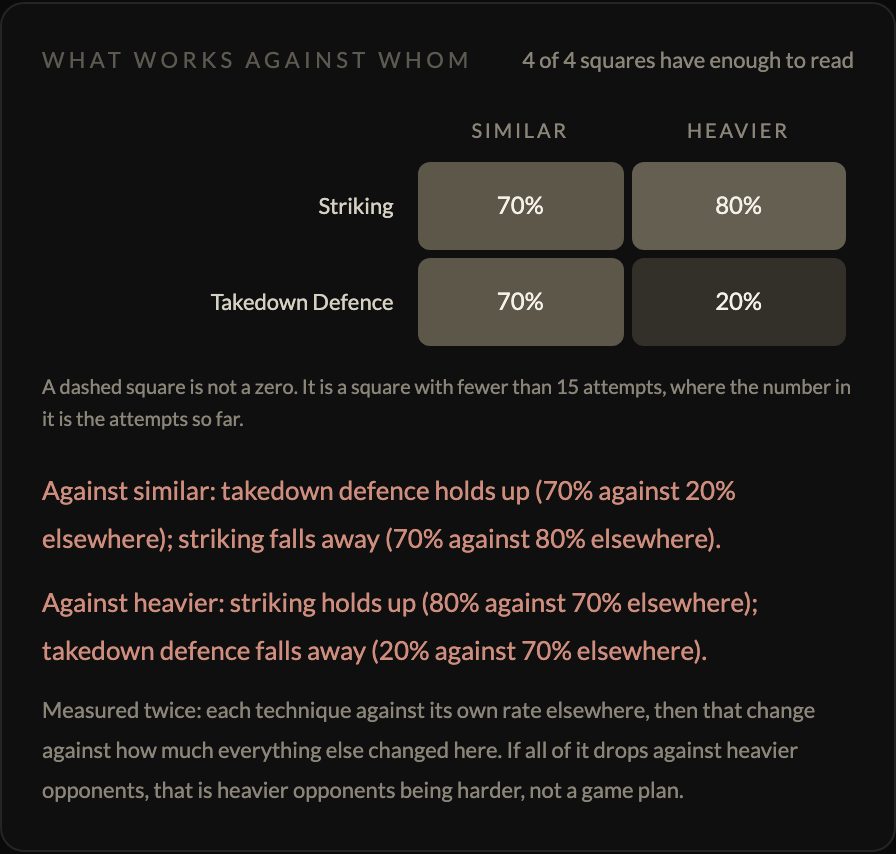
The fastest way to judge this is to open it
The tour signs you into a studio built for your visit. Log a class, change a record, open anything in the sidebar. What you type is yours, nobody else sees it, and it is gone by morning.
Open the tour in one of these 7
Pick one and the tour opens on that discipline’s class. They are not the limit: thirty ship as presets, from aerial and pole through boxing, gymnastics, climbing, swimming, rowing and weightlifting, and a coach can type anything that is not on the list. Nothing in the system is built around a particular apparatus.